

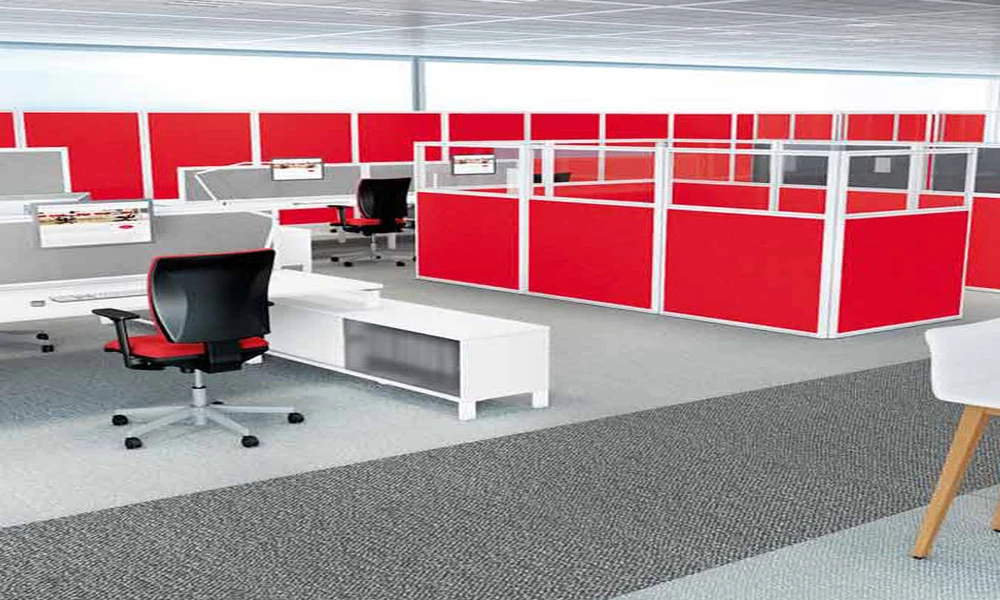
The usual complaint about open-plan desks is noise, so desk screens are bought as if they were sound barriers. They are not, and judged on that basis they will disappoint. What office desk partitions do well is control what people see: the movement at the edge of vision, the neighbour’s screen, the sense of being watched. That visual separation is often enough to restore concentration, provided the screens are the right height, the right material and fixed in the right place.
What a Desk Screen Can and Cannot Do
A screen between two desks blocks sightlines and softens some of the sound travelling directly across the worktop. It does little about noise that passes over the top or reflects from the ceiling. Setting expectations matters, because staff who are promised quiet and receive only a visual barrier tend to regard the purchase as a failure. Presented honestly, as a way of reducing distraction and marking personal space, the same product is usually welcomed.
Visual Distraction and Attention
Movement in peripheral vision draws the eye whether a person wishes it or not. Someone walking past, a colleague gesturing on a call or a screen changing brightness nearby all interrupt attention briefly. A partition that rises just above seated eye level removes most of these interruptions without isolating the occupant. People can still stand to speak to a neighbour, which keeps the benefits of an open floor while giving each desk a calmer field of view.
Getting the Height Right
Height is the decision that matters most. Low screens, a little above the worktop, mark territory and hide clutter but leave faces visible. Mid-height screens shield a seated person’s view while allowing eye contact when standing. Taller screens give more seclusion but can block daylight and make a team feel divided. Where sit-stand desks are in use, remember that a screen fixed to a rising worktop moves with it, whereas a floor-standing one does not.
Mounting Methods and Desk Compatibility
Screens are fixed in three main ways: clamped to the desk edge, bolted through the worktop, or built into the workstation frame as part of a system. Clamps suit retrofits and need no drilling, but they depend on worktop thickness and overhang. Integrated desk-mounted partition panels are steadier and usually carry cable trays or accessory rails. Before ordering, measure worktop thickness, check for modesty panels or cable ports in the way, and confirm that the fixing suits a shared bench desk.
Fabric, Acrylic, Glass and Laminate
Material determines both function and upkeep. Fabric over an absorbent core reduces the echo of nearby voices and accepts pins. Acrylic and glass keep light and sightlines open, which suits reception counters and small rooms, though they reflect sound. Laminate is durable and easily cleaned. Many offices combine a fabric lower section with a clear upper band, gaining some absorption at desk level while avoiding the boxed-in effect of a fully solid screen.
Privacy for Screens and Documents
Some roles handle material that should not be read by passers-by: payroll, client records, personnel matters. Side screens and a higher rear panel limit the angles from which a monitor can be seen, especially at desks beside a walkway. This is a matter of reasonable care, not total security, and should be combined with sensible screen placement and clear-desk habits. It also reassures the occupant, who can work without feeling overlooked.
Accessories That Free the Worktop
A partition can carry more than its own weight. Rail-mounted shelves, paper trays, monitor arms, task lights and name holders lift items off the desk and make a smaller worktop workable. Pinnable or magnetic faces keep reference notes in view. When comparing systems, check which accessories are available and what load the panel is rated to bear, since hanging a monitor from a screen designed only as a divider is unwise.
Effects on Light and Airflow
Every vertical surface changes how light and air move across a floor. Solid tall screens near windows cast shadows over the desks behind them, and a dense grid of panels can leave still pockets where air conditioning does not reach. Clear upper sections, gaps beneath panels and lower heights in the rows nearest the glazing all help. Walking the floor with a layout drawing before ordering often reveals problems that are not obvious on paper.
Installing Without Disrupting Work
Retrofitting screens to occupied desks is quicker than most fit-out work but still needs planning. Clamp-on types can be fitted row by row in an evening. Integrated panels may require desks to be cleared and partly dismantled. Agree a sequence with the installer, label which screen goes where, and check afterwards that every fixing is tight and no cable has been trapped. A short snagging walk the next morning catches loose or misaligned panels early.
Choosing Screens for Your Office
Begin with the problem to be solved. If it is visual distraction, mid-height fabric screens on the front and one side of each desk are usually sufficient. If confidentiality matters, add height at the rear and beside walkways. If noise is the true complaint, screens alone will not resolve it, and layout or enclosed rooms should be considered alongside. Measure the desks, decide on the fixing method, and compare a full range of partition systems for workstations before settling on height and finish.
